Motion Control AI examples

Motion Control AI Examples

See the Motion Before You Generate

Compare character images, reference videos, prompts, models, and generated results across dance, pet motion, anime action, martial arts, and character performance.

Real motion control example

Character image + motion reference

Generated result

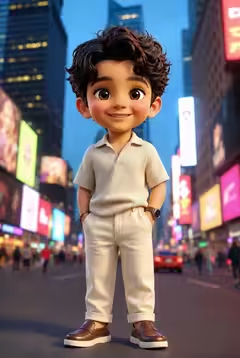
City character performance

Input character image for a Motion Control AI example

Character image

Motion reference

Image + motion reference + generated video

Motion Control AI examples by character and motion type

Open any example to compare the character image, motion reference, model, prompt, and generated result in one place.

Stylized city character motion transfer

A full-body animated character follows a confident pose and gesture performance in a vertical city scene.

Kling Video 3.0 · Motion Control

Prompt and source setup

Generation prompt

No additional scene prompt. The character image and reference performance provide the motion direction.

This example uses one character image and one motion reference video. Open the media comparison to review both inputs beside the generated result.
Photorealistic cats dancing in sync

Two dressed cats copy the same dance timing while the camera, animal paws, fur, clothing, and scale remain consistent.

Kling Video 3.0 · Motion Control

Prompt and source setup

Generation prompt

Two cats are dancing while keeping the original appearance consistent. Follow body movement, facial expression, mouth movement, eye expression, and timing from the reference. Keep the camera stationary, preserve realistic paws, fur, clothing, body proportions, natural blinking, and sunny park lighting.

This example uses one character image and one motion reference video. Open the media comparison to review both inputs beside the generated result.
Cat dance motion transfer in a fantasy scene

A photorealistic cat in a green alien costume follows a full-body dance reference while paws, fur, clothing, scale, and the fixed fantasy scene stay consistent.

Kling Video 3.0 · Motion Control

Prompt and source setup

Generation prompt

The cute cat dances in sync with the reference. Follow the body movement and facial expression, keep the camera stationary, preserve animal paws, fur, costume, scale, and position, and use natural fabric motion with cinematic warm lighting.

This example uses one character image and one motion reference video. Open the media comparison to review both inputs beside the generated result.

Character martial arts sequence

A sporty character transfers a guarded stance, block, straight punch, step, and finishing pose from one action reference.

Kling Video 3.0 · Motion Control

Prompt and source setup

Generation prompt

A red-haired character performs a short martial arts sequence with smooth, decisive motion: stable pose, slight step, guard stance, block, straight punch, and strong finish. Keep the face stable, anatomy correct, hands and legs clear, and the modern background consistent.

This example uses one character image and one motion reference video. Open the media comparison to review both inputs beside the generated result.

Tiny character blink and hand wave

A miniature child standing on a palm receives subtle breathing, blinking, smiling, hair movement, and a slow hand wave.

Kling Video 2.6 · Motion Control

Prompt and source setup

Generation prompt

A tiny pocket-sized child stands on a human palm, viewed from above. The child gently blinks, breathes naturally, smiles softly, and slowly waves one hand. Hair moves slightly in a light breeze while the hand remains steady. Photorealistic cinematic lighting.

This example uses one character image and one motion reference video. Open the media comparison to review both inputs beside the generated result.

Anime samurai sword motion

An illustrated sword character follows a fast full-body reference while keeping the anime design and dramatic environment.

Kling Video 2.6 · Motion Control

Prompt and source setup

Generation prompt

No additional scene prompt. The anime character image defines the visual identity and the motion video supplies the sword performance.

This example uses one character image and one motion reference video. Open the media comparison to review both inputs beside the generated result.

Mech robot action and battle motion transfer

A stylized mech character follows a longer full-body action reference through turns, steps, arm movement, and combat poses in a ruined city.

Kling Video 3.0 · Motion Control

Prompt and source setup

Generation prompt

No additional scene prompt. The mech character image defines the robot design and ruined-city look while the motion video supplies the full-body action and battle timing.

This example uses one character image and one motion reference video. Open the media comparison to review both inputs beside the generated result.

Stylized kids dancing on stage

Two stylized characters follow synchronized dance timing while the fixed camera, character scale, and colorful stage remain stable.

Kling Video 3.0 · Motion Control

Prompt and source setup

Generation prompt

Two stylized characters dance in sync. Follow the body movements in the reference video, keep the camera stationary, preserve both characters’ scale and position, and avoid zooming or distortion.

This example uses one character image and one motion reference video. Open the media comparison to review both inputs beside the generated result.

Natural-light social dance video

A vertical creator-style dance clip focuses on face consistency, realistic skin, grounded feet, and natural indoor lighting.

Kling Video 2.6 · Motion Control

Prompt and source setup

Generation prompt

Preserve the source face, body shape, outfit, skin texture, and natural proportions while following the reference dance. Keep the subject grounded, match the room lighting and shadows, avoid edge artifacts and body warping, and retain an authentic creator-video look.

This example uses one character image and one motion reference video. Open the media comparison to review both inputs beside the generated result.

Four-person idol group dance motion transfer

Four distinct performers follow one synchronized group-dance reference while spacing, identities, body count, stage lighting, and camera framing remain controlled.

Kling Video 3.0 · Motion Control

Prompt and source setup

Generation prompt

Keep the same four distinct dancers and consistent faces throughout the routine. Follow the reference movement with clear space between performers, no merging or disappearing bodies, stable group composition, full-body movement, and naturally changing stage lights.

This example uses one character image and one motion reference video. Open the media comparison to review both inputs beside the generated result.

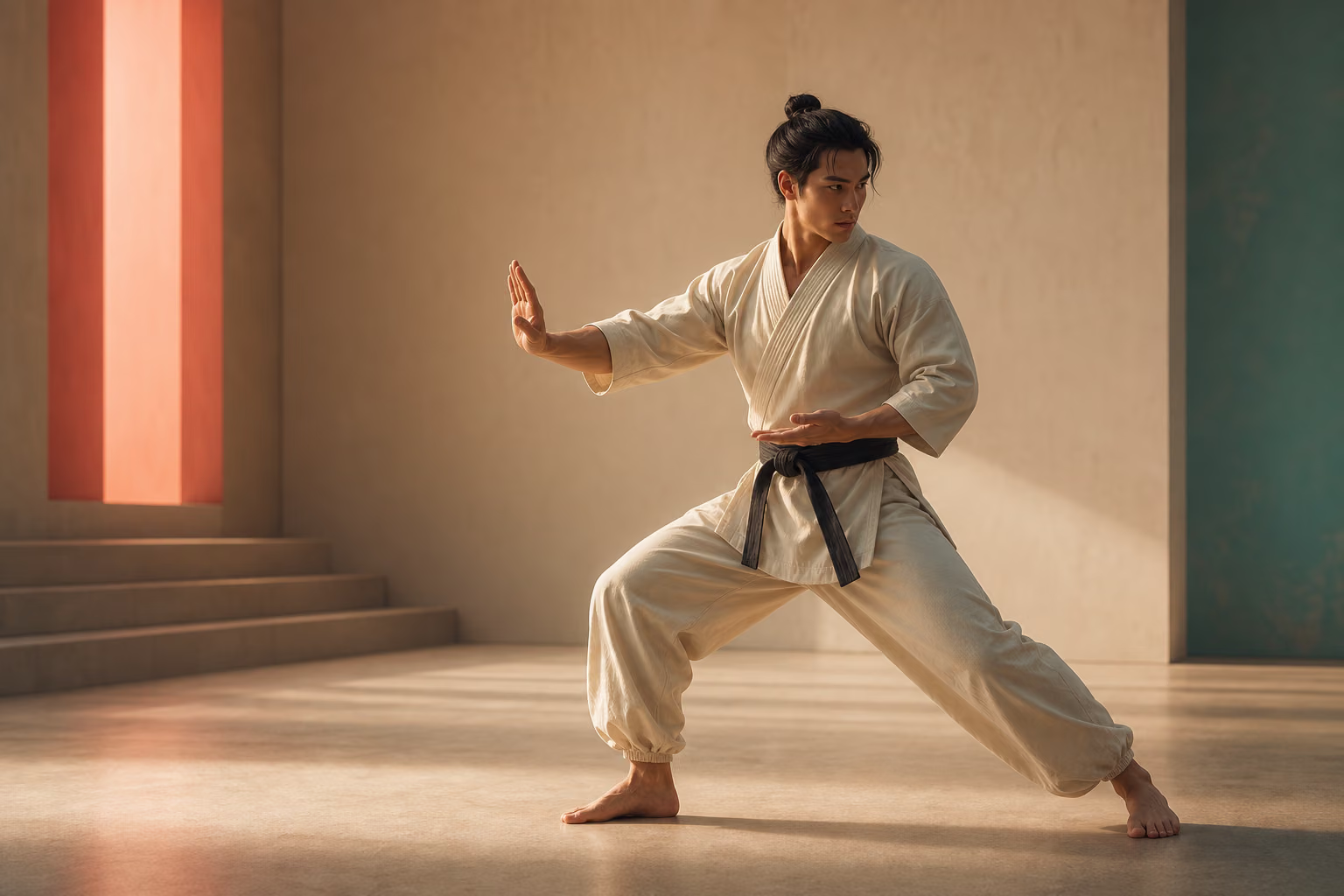
Tai chi motion transfer

A controlled martial-arts example for slower weight shifts, open-hand gestures, torso rotation, and balanced poses.

Kling Video 3.0 · Motion Control

Prompt and source setup

Generation prompt

No additional scene prompt. Use the character image for identity and the tai chi reference for slow, continuous body direction.

This example uses one character image and one motion reference video. Open the media comparison to review both inputs beside the generated result.

How to compare a Motion Control AI example

Each case pairs one character image with one reference video. Open a card to inspect the source image, motion clip, model, prompt, and final video together. The reference supplies visible action and timing, while the image supplies character identity, proportions, clothing, and visual style.

The collection covers photo-to-dance video, pet dance animation, anime motion transfer, martial-arts motion capture, subtle character gestures, and creator-style social video. Results still depend on source clarity, framing, occlusion, motion speed, body-structure differences, model choice, orientation, and background mode.

Three example families to compare

Use the branch that matches the final video you want to create.

Character dance examples

Compare single-dancer references, full-body framing, and short social dance outputs.

Character dance examples

Talking-character examples

Use close, front-facing references for visible mouth, expression, and presenter timing.

Talking-character examples

General performance transfer

Transfer gestures, posture, running, martial arts, and other single-character actions.

General performance transfer

Reproduce an example workflow

Start with the simplest possible pair, then increase motion complexity after the identity remains stable.

1

Choose an example family

Decide whether the output is primarily dance, talking performance, or general action transfer.

2

Match the reference framing

Use similar portrait or landscape framing and keep the main performer visible.

3

Generate a short test

Review a short clip before increasing the duration or using a more complex reference.

Browse examples by final outcome

The same motion-control engine supports multiple user vocabularies and content formats.

Dance motion transfer

Make a photo or humanoid character perform a reference dance.

Character lip sync

Make a character appear to deliver a short talking performance.

Performance capture

Record your own reference and direct the character with your body and face.

Workflow essentials for Motion Control AI Examples

Inputs, recommended setup, and the most common fixes—summarized in one compact guide.

Inputs and setup

  • One JPG, JPEG, or PNG image; One MP4, MOV, or supported video clip.
  • Reference length: 3–30 seconds, depending on model mode.
  • Kling 2.6 Motion Control and Kling 3.0; Rendered character video in 720p or 1080p.
  • Confirm one primary character and one primary performer.

Two quick fixes

Problem
Fix
Identity changes over time
Use a sharper source image and reduce extreme face turns.
Hands or feet disappear
Choose a wider frame and a reference with less occlusion.

Motion Control AI examples FAQ

What inputs are used for a Motion Control AI example?
The motion-control workflow uses one character image, one short reference video, and an optional scene prompt.
Can I copy the exact motion from any video?
The model follows visible performance timing, but complex occlusion, fast spins, cuts, multiple people, and very different body structures can reduce fidelity.
Which model should I start with?
Kling 3.0 offers the most flexible background controls. Kling 2.6 remains useful for comparing cost, speed, and output behavior.
What is the best reference-video length?
Start with a 3–10 second continuous shot. Increase the duration only after the short test keeps the character and motion stable.
Can I create my own example?
Yes. Open Motion Control AI, upload a character image and reference video, choose the model settings, and generate a short test.

Create your own Motion Control AI example

Start with one clear character image and the cleanest section of your reference video.