
Image to Image AI
Keep what matters. Change what does not.
Popular edits
The selected resolution controls the configured credit cost.
What Is Image to Image AI?
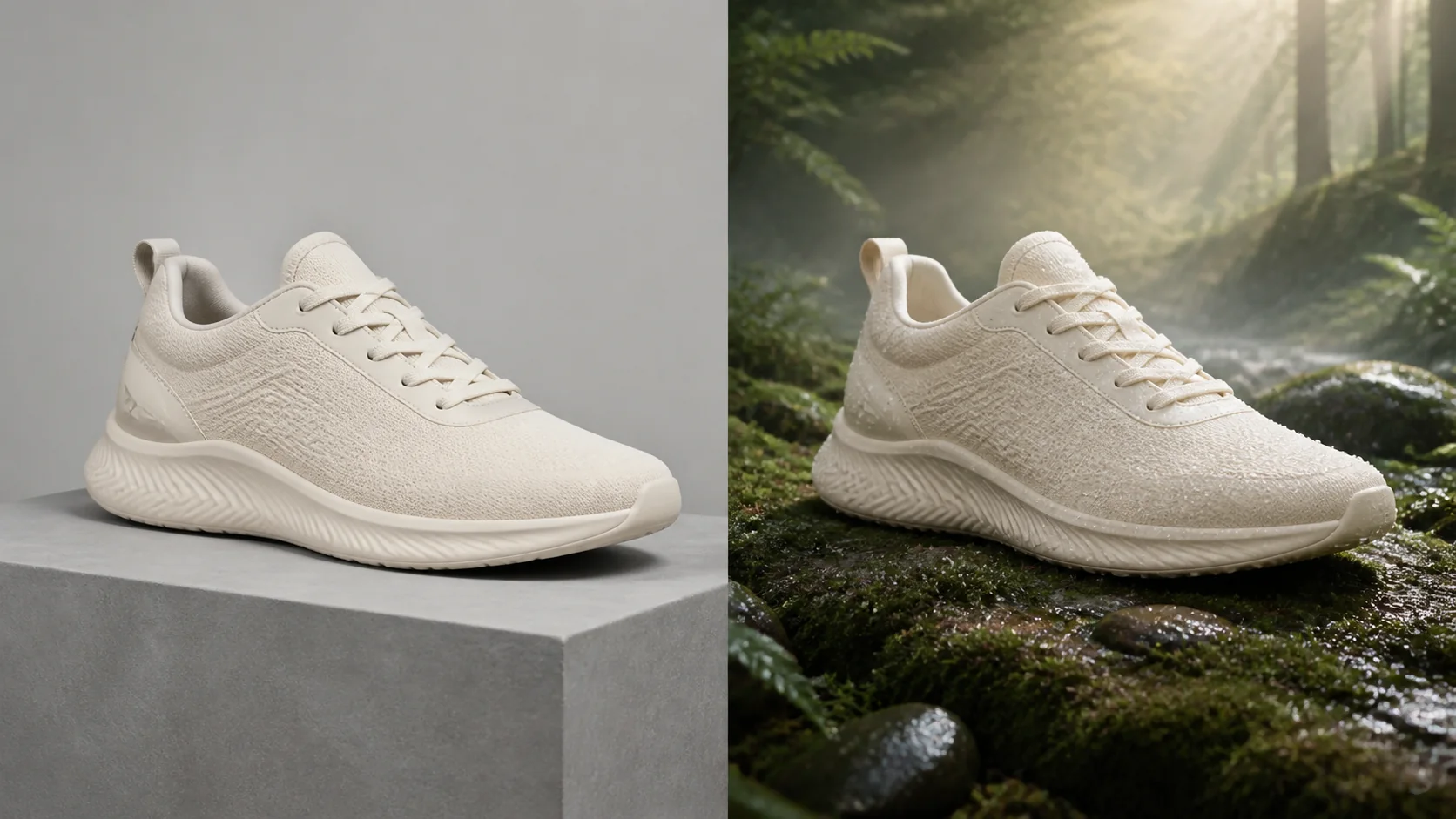
Image to Image AI starts with an existing picture instead of a blank canvas. Your upload provides the subject, pose, framing, product shape, or scene structure. Your prompt tells the model what to preserve and what to transform, making the result more grounded than an unrelated text-only generation.
Use this workflow when a valuable asset needs a new background, art direction, palette, wardrobe, lighting setup, material, or variation. Image to Image AI helps you explore controlled changes faster than rebuilding every idea from zero.
What Can Image to Image Change?
Image to Image AI works like a focused edit brief: protect the important visual facts, then name the change.
Image to Image Background Replacement
Move a product, portrait, character, or object into a new environment while retaining the main subject, angle, and proportions.
AI Style Transfer
Image to Image AI can restyle a photo or illustration as cinematic, editorial, anime, watercolor, 3D, vintage, or another clear visual direction.
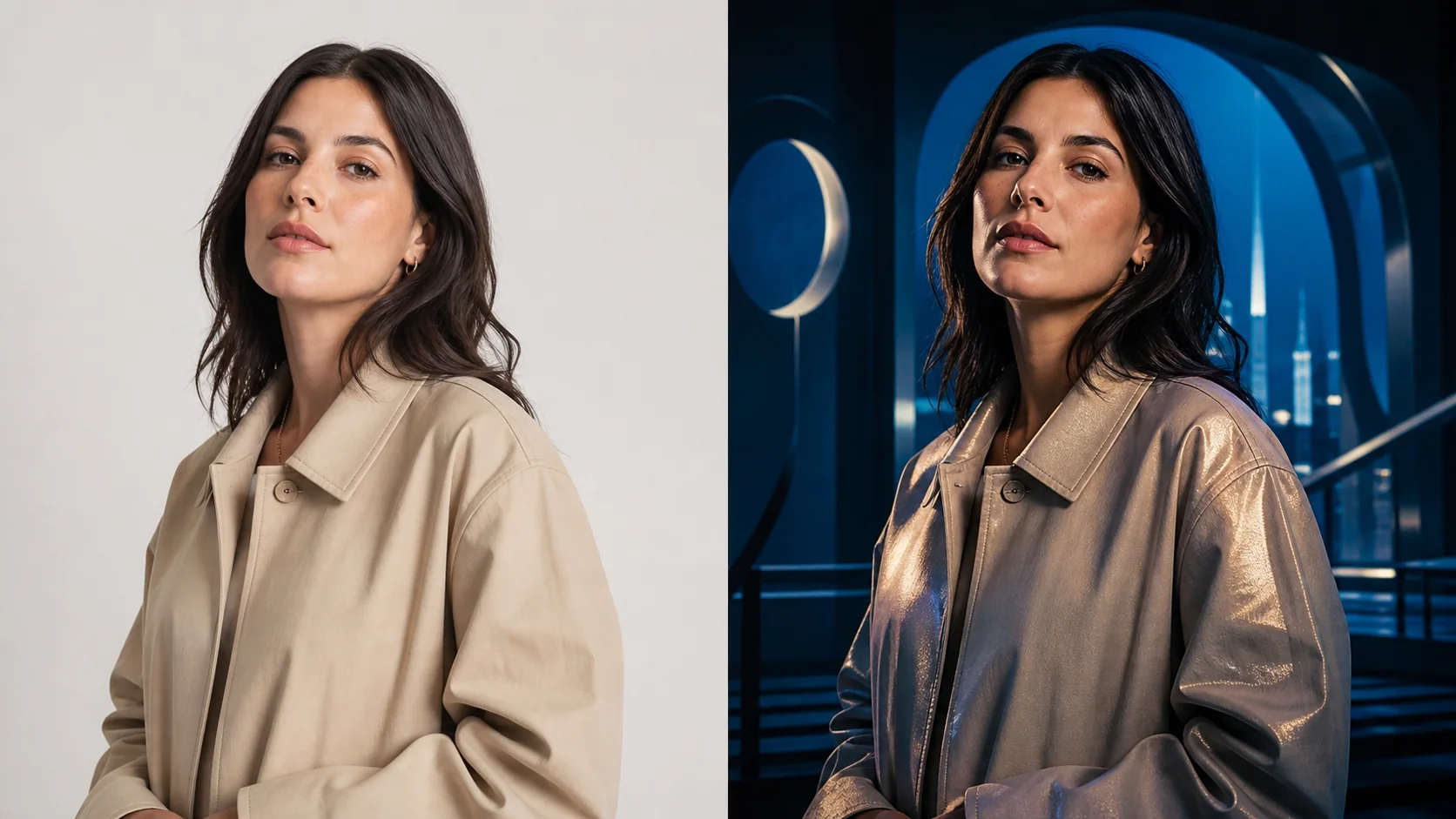
Image to Image Lighting Changes
Turn daylight into golden hour, a plain studio into neon, or a bright scene into night. The model changes the mood without discarding the concept.
Image to Image Variations
Explore colors, materials, props, layouts, or wardrobe options with Image to Image AI, then refine the strongest direction instead of recreating each idea.
How Image to Image Works
Image to Image AI turns one strong source and one clear edit instruction into a controlled visual variation.
1. Upload the Best Source
Give Image to Image a sharp source where the subject, face, edges, product geometry, or composition is easy to read.
2. State What Stays and Changes
Tell Image to Image AI what must remain, then name the edit. Example: keep the shoe and angle; replace the studio with a misty forest.
3. Choose a Model and Refine
Choose an Image to Image model for speed, instruction following, detail, or text, then tighten one request at a time.
Choose an Image to Image AI Model
Every Image to Image model interprets the source differently. Use fast drafts to explore and higher-fidelity options when details matter.
GPT Image 2
A strong Image to Image AI option for careful instructions, layouts, readable text, and structured edits.
- Detailed Image to Image edits
- Strong layout awareness
- Useful text rendering
Nano Banana 2
A balanced Image to Image choice for fast exploration, precise everyday edits, and practical creative iteration.
- Fast creative drafts
- Balanced speed and quality
- General-purpose editing
Nano Banana Pro
Choose Pro for Image to Image AI work involving fine detail, typography, complex design, or higher-resolution output.
- Higher-fidelity results
- Complex design support
- High-resolution options
Why Use Image to Image Here?
Image to Image AI combines source-guided control, model choice, fast iteration, and practical downloads in one workspace.
Source-Guided Control
Image to Image begins with a real reference, giving the model clearer information about subject, pose, framing, and design language.
Multiple Editing Models
Image to Image AI lets you compare engines for instruction following, speed, cost, fidelity, typography, and complex edits.
Fast Creative Iteration
Use Image to Image to test scenes, styles, palettes, and materials before committing to detailed retouching or a new shoot.
Clean Project Results
Image to Image AI saves results in your history and provides watermark-free downloads for concepts, content, and commercial work.
Who Uses Image to Image AI?
Image to Image serves people who already have a useful asset and need a controlled visual change.
Image to Image for Ecommerce
Product teams use Image to Image AI for campaign environments, color directions, materials, and seasonal concepts while keeping the item central.
Image to Image for Designers
Designers use Image to Image to turn approved sketches, references, or layouts into concrete alternative art directions.
Image to Image for Creators
Social teams use Image to Image AI to refresh portraits, thumbnails, posts, scenes, moods, and styles without arranging another shoot.
Image to Image for Character Art
Game artists use Image to Image to explore costume, material, environment, lighting, and rendering while retaining the core character.
Image to Image for Agencies
Agencies use Image to Image AI to create options quickly, validate a direction, and reserve manual finishing for approved concepts.
Image to Image AI FAQ
What does Image to Image mean?
How is Image to Image different from text to image?
Can Image to Image replace a background and keep the subject?
Can I use Image to Image for product photos?
Which Image to Image AI model should I use?
Does Image to Image guarantee perfect identity preservation?
Try Image to Image AI on a Picture You Value
Give Image to Image one strong source, protect what matters, and describe one meaningful change.